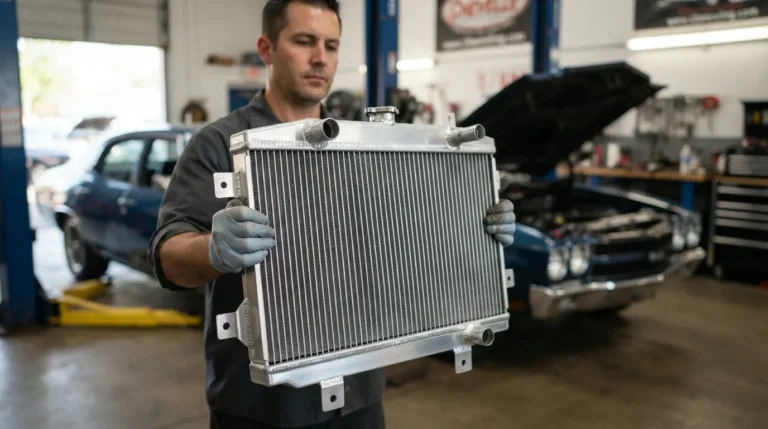
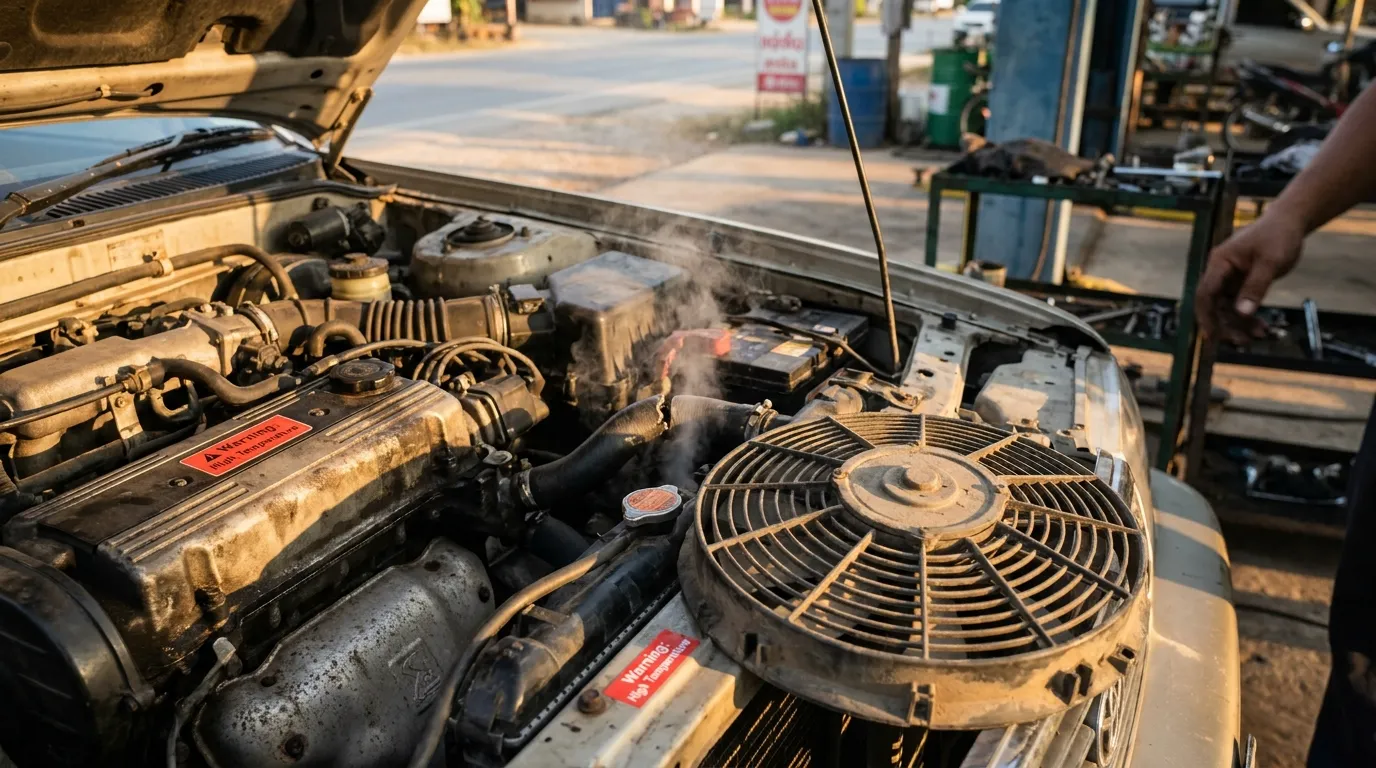
A faulty radiator fan often causes engine overheating by cutting airflow to the radiator.
I’ve diagnosed dozens of cooling-system problems in my years working on cars and trucks. This article explains why a radiator fan not working cause overheating, how to spot the signs, step-by-step diagnosis, practical fixes, and low-cost prevention. Read on for clear, experience-based guidance you can use today.
How the radiator fan works
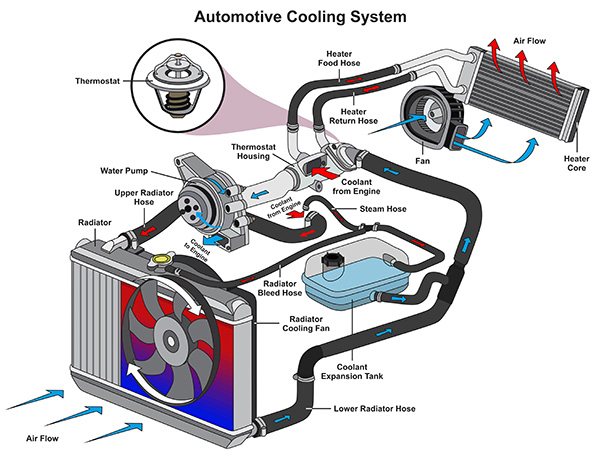
A radiator fan moves air through the radiator. This air removes heat from the engine coolant. At low speeds or when stopped, the fan is the main way to cool the radiator. When the fan stops, airflow drops. Less airflow means higher coolant temperature and a hot engine.
Key components involved:
- Radiator fan motor
- Fan blade and shroud
- Fan relay and fuses
- Temperature sensor or fan switch
- Cooling fan control module or wiring
Understanding this system helps explain why radiator fan not working cause overheating. When any part fails, the cooling process is impaired and temperatures climb.
Source: fourcargarage.com
Why a radiator fan not working cause overheating
Airflow is the core idea. Vehicles need a constant flow of air through the radiator to keep engine heat in check. The fan provides that flow when the vehicle isn’t moving fast enough. If the fan stops, the radiator can’t shed heat quickly. Over time, the engine temperature rises. That is why radiator fan not working cause overheating.
Other ways the fan failure raises temperature:
- Reduced heat exchange when idling or in traffic.
- Higher load on the water pump and thermostat.
- Faster coolant boiling or steam generation.
- Increased stress on head gaskets and engine parts.
From my experience, most overheating complaints that happen in traffic or at idle trace back to fan issues. If your dash reads hot slower only at highway speeds, the fan may still be working, and the problem could be different.
Common causes of radiator fan failure (and fixes)
Below are common reasons a fan stops working and what you can do.
Electrical issues
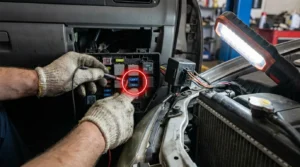
- Blown fuse or bad relay — Replace the fuse or relay. Test relay with a swap if available.
- Faulty wiring or corroded connectors — Inspect wiring near the fan and the battery. Clean and secure connectors.
- Bad ground — Tighten and clean the grounding point. A poor ground can stop the motor.
Mechanical issues
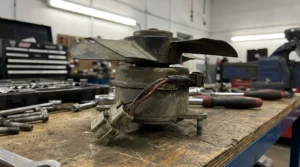
- Worn fan motor — If motor hums but blade won’t spin, the motor may be weak. Replace the motor.
- Broken fan blade or shroud — Replace damaged blades or shrapnel that blocks movement.
- Debris or seized bearings — Remove debris and check for free spin. Replace bearings or the motor if seized.
Sensor and control failures
- Bad temperature sensor or fan switch — Swap in a known-good sensor or test resistance to confirm failure.
- Faulty fan control module — Modules can fail internally. Replace if all other parts test good.
Quick repair tips from the shop
- Always disconnect the battery before working on the fan wiring.
- Turn the ignition on (with car stationary) and watch for current at the relay when someone starts the car to trigger the fan.
- Use OEM or high-quality aftermarket parts for reliability.
If you see a persistent symptom like a fan that runs intermittently, check relay and temp sensor first. Often they are the cause.
Diagnosing a bad radiator fan: step-by-step
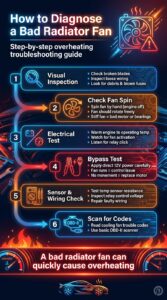
Follow this clear process to find the fault. These steps reflect hands-on troubleshooting I use in the garage.
- Visual inspection
- Look for broken blades, loose connections, and debris.
- Check fuses in the fuse box.
- Check for fan spin
- With engine off, try spinning the fan by hand. It should rotate freely.
- If stiff, replace the motor or free seized bearings.
- Test the fan electrically
- Turn the engine to operating temperature and watch if the fan starts.
- If it doesn’t, locate the fan relay and listen for the relay click when the engine gets hot.
- Bypass test
- Carefully supply 12V directly to the fan motor (with battery leads) to see if the motor runs.
- If it runs, the problem is control, relay, or sensor. If not, replace the motor.
- Check temperature sensor and wiring
- Use a multimeter to test the fan switch resistance at various temperatures or test voltage at the relay control wire.
- Repair or replace faulty sensors or wiring.
- Scan for trouble codes
- Modern cars may throw codes related to fan control. Use a basic OBD-II scanner to read codes.
These steps make diagnosing a radiator fan not working cause overheating much faster.
Repair vs replace: cost and practical tips
Decide to repair or replace based on cost, age, and condition. Here’s how I evaluate it.
Typical cost ranges (varies by vehicle and region)
- Fuse or relay: low cost, inexpensive labor.
- Fan motor replacement: moderate cost. Motors can be $50–$250.
- Fan assembly or shroud: higher cost, $150–$600.
- Sensor or module: moderate to high, $30–$300.
Practical advice
- If the motor is noisy or barely turns, replace it. It will fail soon.
- If wiring is corroded, fix wiring and connectors to avoid repeat issues.
- Use OEM-style parts for critical components to avoid compatibility problems.
I once replaced just the fan relay on an older sedan. The car stopped overheating in town but still cooled on the highway. Small fixes often deliver big relief.

Maintenance and prevention
Routine care reduces the chance that a radiator fan not working cause overheating will surprise you.
Simple maintenance checklist
- Check fan operation during warm-up occasionally.
- Inspect wiring and connectors for corrosion every oil change.
- Keep the radiator and shroud free of leaves and debris.
- Replace coolant on schedule and check thermostat operation.
Seasonal tips
- In hot months, test the fan before heavy traffic trips.
- In cold months, ensure the fan isn’t blocked by ice or chance buildup.
Small, regular checks save time and money. My tip: listen for the fan when the car idles. That sound can tell you a lot.

Frequently Asked Questions of radiator fan not working cause overheating
What are the first signs a radiator fan has failed?
You may notice the temperature gauge rising while idling or in traffic. Another sign is the AC not cooling well at low speeds.
Can a car overheat if only one of two fans stops working?
Yes. Many vehicles depend on both fans for adequate cooling. Losing one fan reduces airflow and can cause overheating under load.
Is it safe to drive with a radiator fan not working?
Short trips at speed may be okay, but driving in traffic or long climbs risks severe overheating. It’s safer to repair before long drives.
How do I test the radiator fan quickly?
Warm the engine, then watch if the fan kicks on. You can also apply 12V directly to the fan motor to see if it runs. Always follow safety steps.
Will replacing the thermostat fix fan-related overheating?
Not necessarily. A stuck thermostat can cause overheating, but a radiator fan not working cause overheating in traffic. Diagnose both if unsure.
Conclusion
A working fan is essential to keep engine temperatures in check. When a radiator fan not working cause overheating, the problem is often electrical, mechanical, or sensor-related. Use the diagnostic steps here to find the fault and choose the right repair. From my hands-on experience, quick checks and timely fixes prevent costly engine damage.
Take action today: inspect the fan, test the relay and sensor, and schedule repairs if needed. If this guide helped, leave a comment with your make and model or subscribe for more simple, practical car care tips.